


Ai Visualizer
The Ai Visualizer is a free new tool we are excited to offer which applies the fabric on our website to furniture, drapery, room, garment, or anything else you can imagine.
Want to see your couch reupholstered? How about a new stylish design on your drapes? Your throw pillows re-covered with your favorite sports team's fabric? It all can be done (and more!) through the OnlineFabricStore's Ai Visualizer.
Simply find a fabric you like, select an image type, upload your photo and hit "Generate Image" to see the results!
Step 1
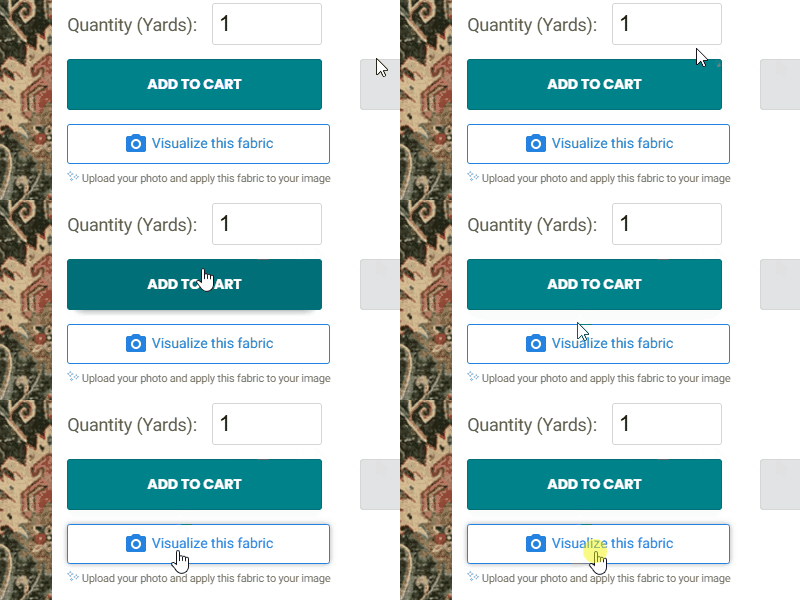
Open the Visualizer
On fabric product pages, look for the "Visualize this fabric" button under the "Add to Cart" button. This is not available on all products: if the button does not appear, the product cannot be visualized on your photo.
Choose a product and press "Visualize this fabric" to start!
Step 2
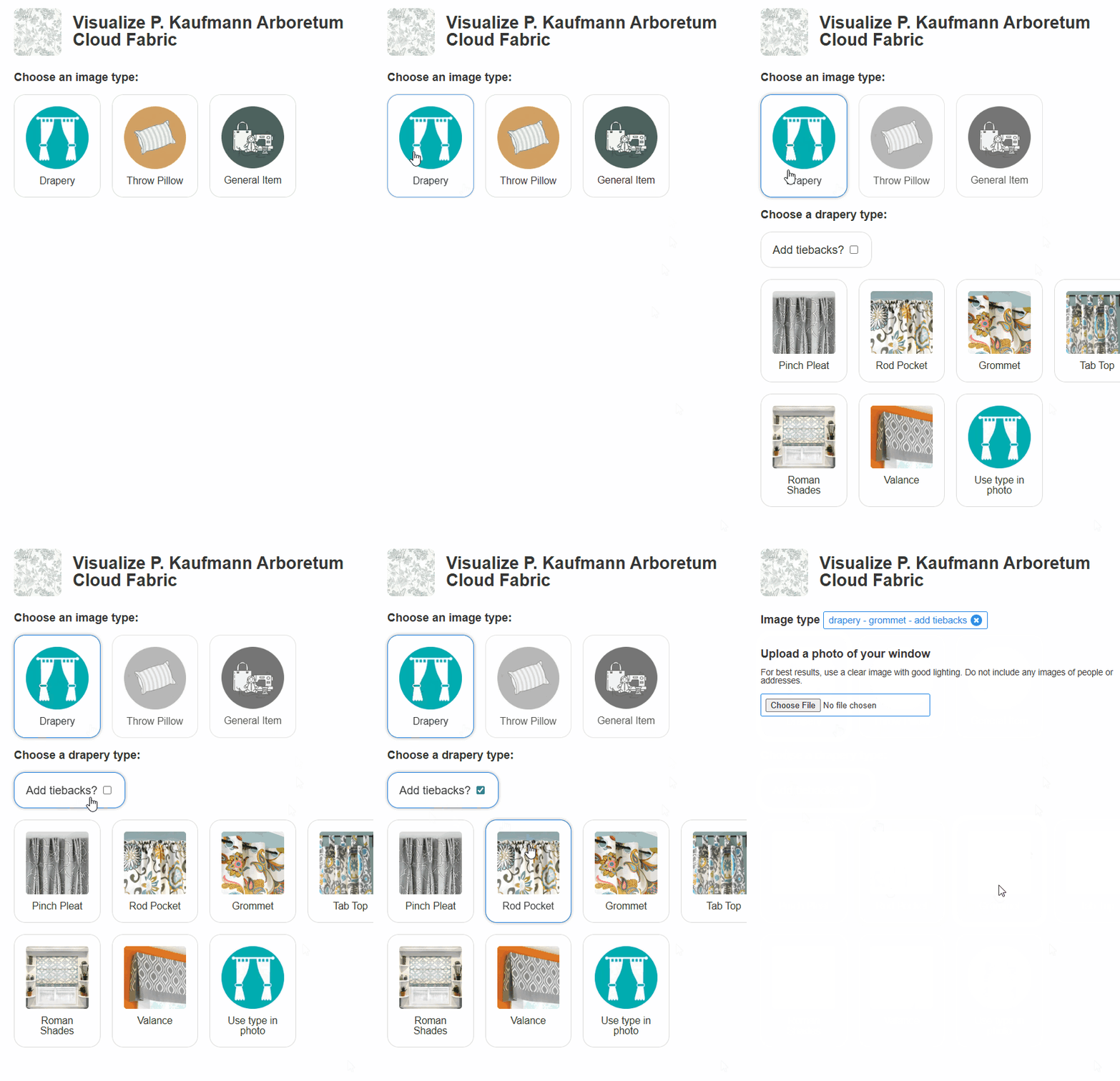
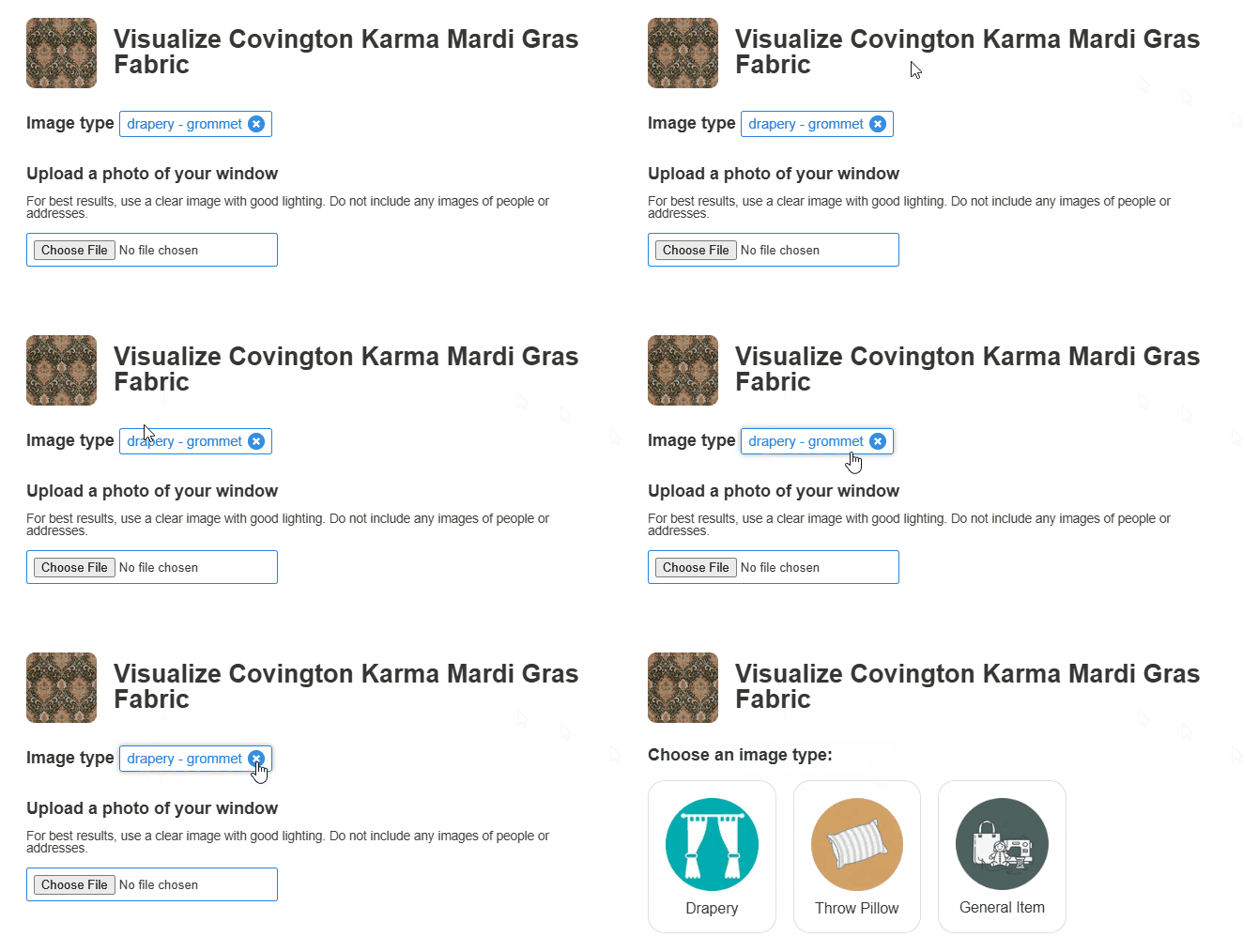
Choose an image type
Make a selection of what type of image you will be uploading. Not all options are available on all fabrics.
- Upholstery: Upload a photo of a couch, chair, loveseat, or any item that you'd like to see reupholstered with the fabric. Items such as throw pillows can be left in place.
-
Drapery: To visualize drapes, you can upload a photo of a bare window or a window with drapes. Once "drapery" is selected, you must select which type of drapes:
- Add tiebacks? Check this option to add tiebacks to your drapes. Leave unchecked to generate straight panel drapes.
- Pinch Pleat: Pinch pleat drapes are classic window treatments featuring fabric gathered into permanently sewn folds at the top, creating a tailored, voluminous look that hangs elegantly from a rod.
- Rod Pocket: Rod pocket drapes feature a sewn-in casing at the top of the fabric panel, allowing the curtain rod to slide directly through the pocket for a soft, gathered appearance.
- Grommet: Grommet drapes feature metal-reinforced rings punched into the top of the fabric, allowing the curtain rod to thread through and create deep, uniform folds with a modern aesthetic.
- Tap Top: Tab top drapes feature exposed loops of fabric sewn onto the top edge, which slide directly onto a curtain rod for a relaxed, casual, and decorative look.
- Roman Shades: Roman shades are fabric window coverings that stack into neat, horizontal pleats when raised and lay flat against the window when lowered, offering a clean and streamlined appearance.
- Valance: A valance is a decorative fabric treatment that covers only the uppermost part of a window, often used to hide drapery hardware or add a finishing touch of style.
- Use type in photo: If your window already has drapes on it, we'll make our best attempt to use the drapery type in the uploaded photo for the style of the drapery.
- Apparel: Upload a photo of your garment that you would like to see the fabric on. Do not include photos with faces for best results.
- Throw pillow: Upload a photo of your current throw pillow, it can be stand-alone or on your couch or favorite recliner. A throw pillow must be in the photo to visualize the fabric on it.
- Awnings/Umbrellas: Upload a photo of your house or boat awning or suncover, and we'll apply the fabric to it. Works great with your deck and pool umbrellas as well!
- Tablecloths: Use a photo of an event space or room with tables in it to visualize the fabric as a tablecloth on the tables. One or multiple tables can be in the photo, and items such as centerpieces or candles can remain on the table.
- Ceiling and wall draping: Upload a photo of an event space or hall and we will use the fabric as ceiling and wall draping.
- General Item: Upload a photo of any general item that you'd like to see re-covered with fabric, such as a tote bag or purse. Photos that only have one item featured will give the best result.
Step 3
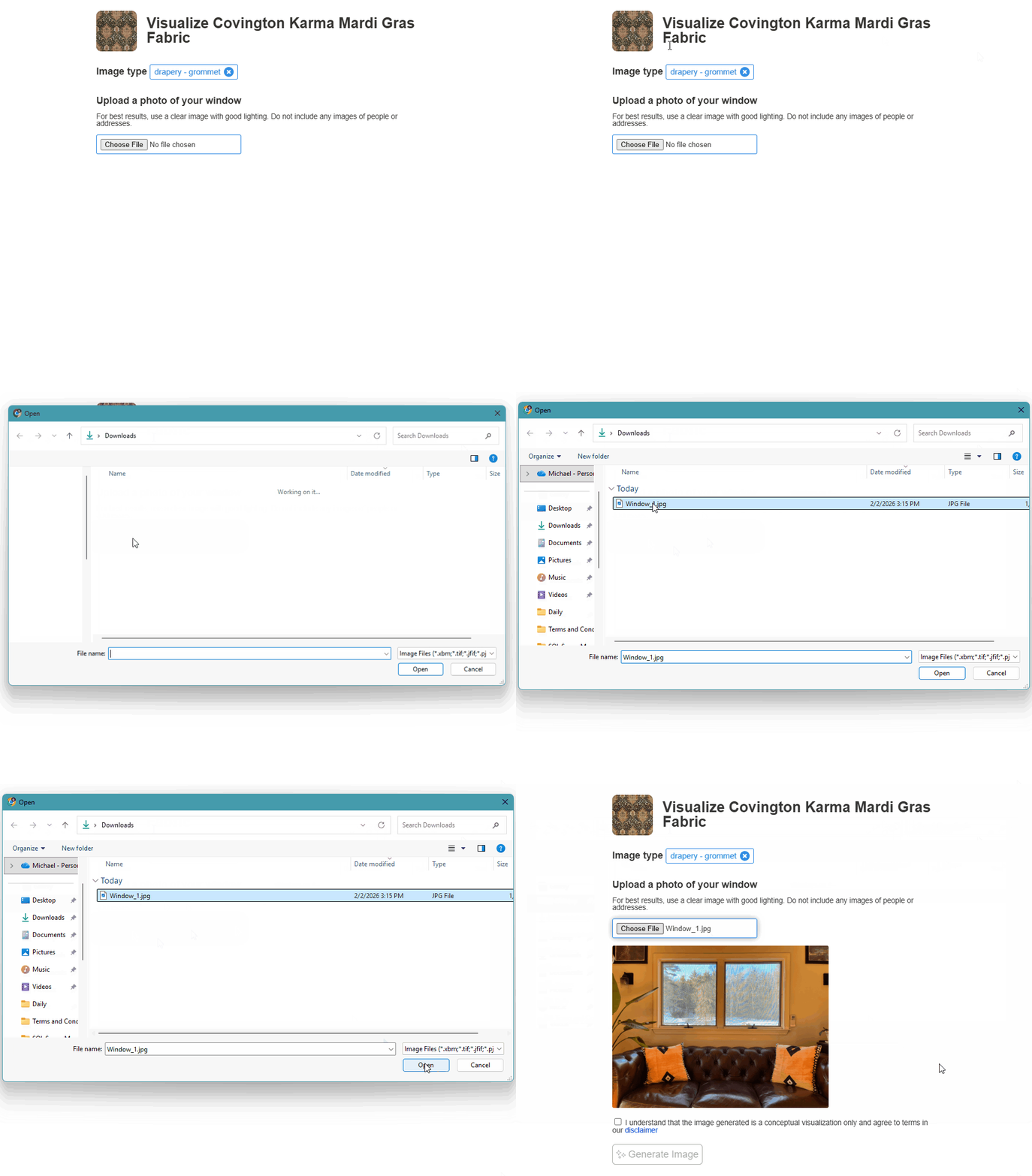
Upload your photo
On mobile devices, you can choose a photo from your photo roll, or use the device's camera. Make sure you allow access to the photo roll and camera if prompted. On PC, use the "Choose file" button to select a photo that you have downloaded to your computer.
Photo tips: Use well-lit, clear images. Blurry or dark photos may lead to poor results, or the image failing to generate. Your featured item (couch, window, table, etc) should be centered and as the main focus of your photo. Photos including faces or personal information may cause the image to fail to generate. Cropping out the family portrait on the wall or tidying up last week's mail on the table will help avoid this. You can do multiple attempts to "fine tune" your generated photo if needed!
Step 4
Generate your image
Your hard work is over! Accept terms and conditions by checking the box and press "Generate Image". In a few moments the image will appear.
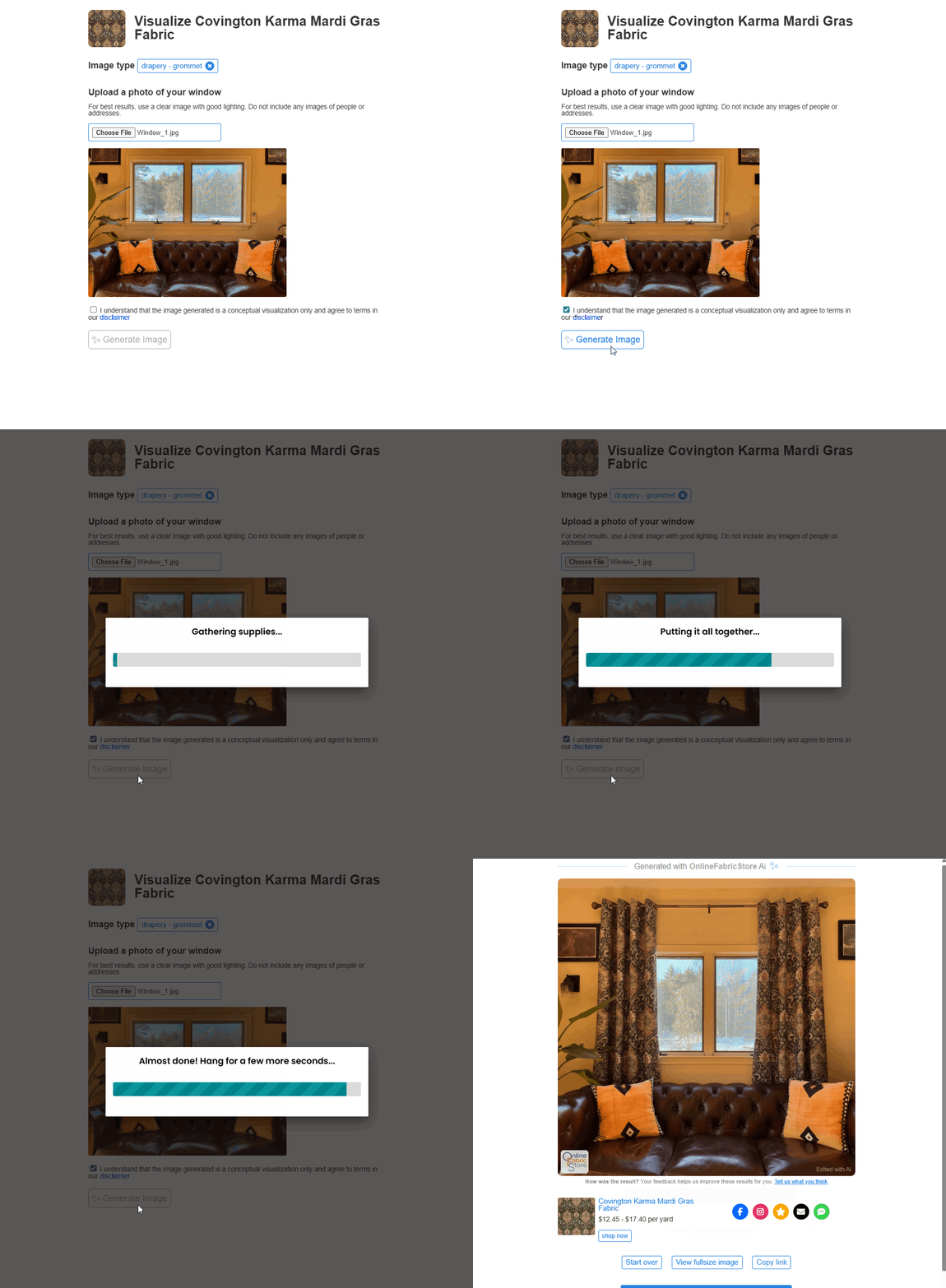
What's next?
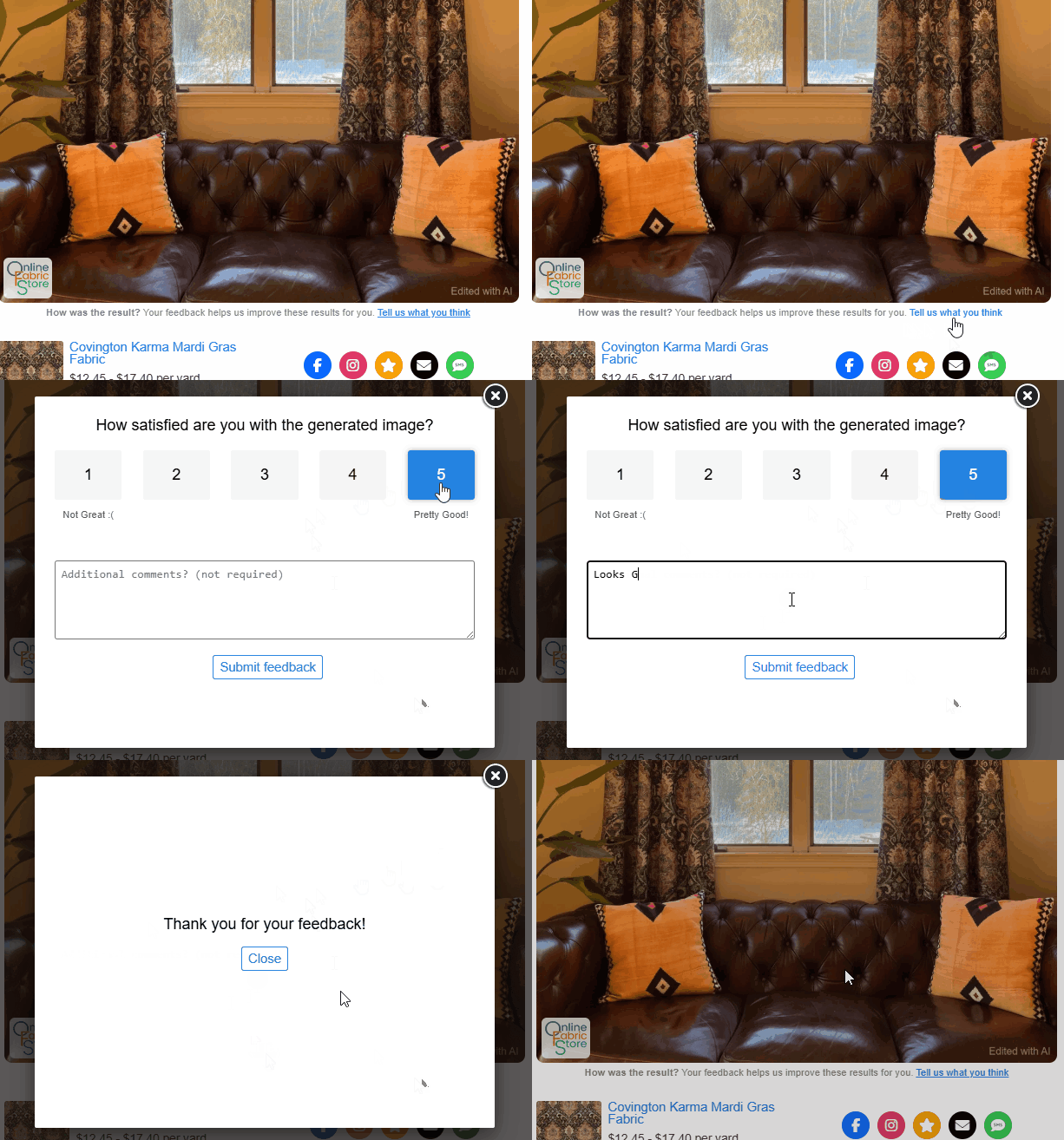
Love the results? ...Didn't love the results? Get an error or have a suggestion for an image type? We are constantly improving this application and need your feedback to make it better. Not all images will be successfully generated.
After the image is generated, find the "Tell us what you think" link below the image to rate the image and leave feedback. Feedback is private, anonymous and is only used for quality control purposes.
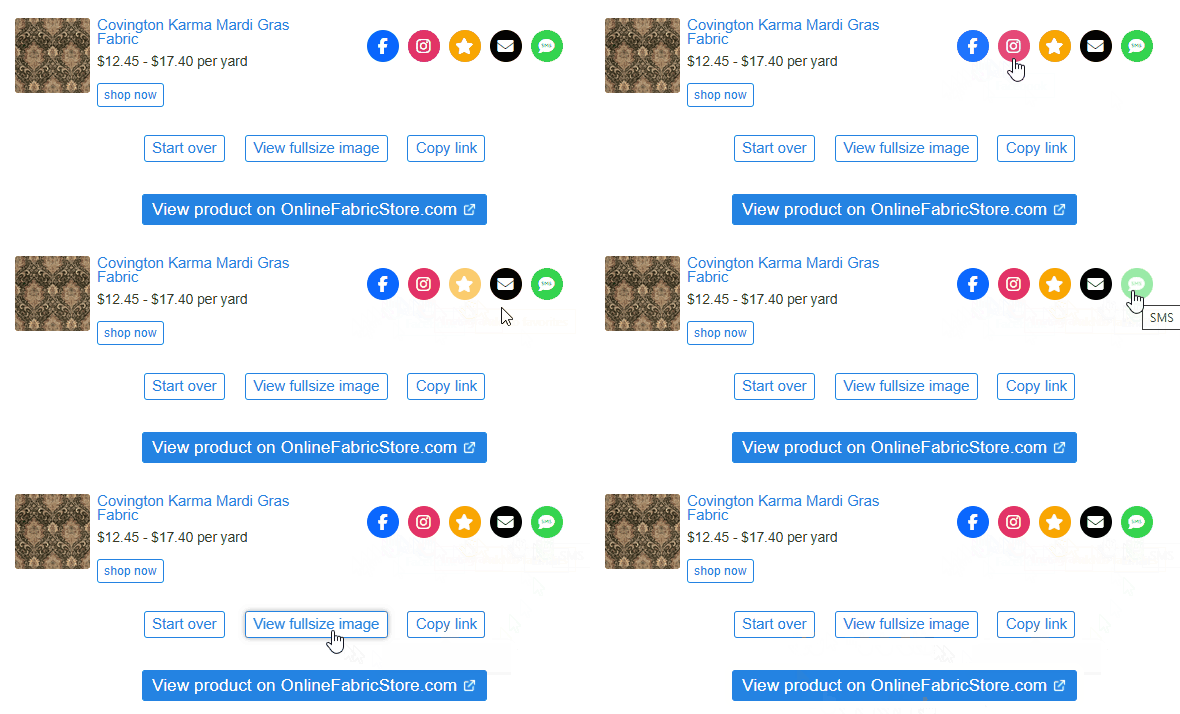
Don't forget to share your image using the "copy link" button, or the social sharing options below the image. Once the image is generated, the link can be used to view it any time. To save your image on a mobile device, long-press on the image and select save or download image, or press once to open the image full-size in a new tab.
-
{{#each productSuggestedQueries.results}}
- {{query}} {{/each}}
-
{{#each categories.results}}
- {{html title}} {{/each}}
{{html attributes.description}}
{{/if}}-
{{#each queries.results}}
- {{query}} {{/each}}